Ad Hoc: Establishing a horn project
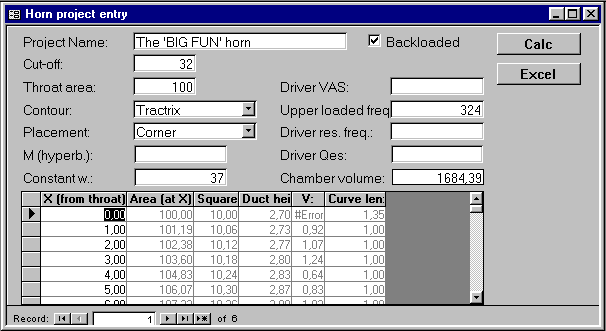
The horn project entry form
Screen showing all the data entry for the Big Fun horn. Chamber volume is automatically calculated and displayed.
Hitting the “calc” button saves the record and recalculates the expansion, in case you made any changes to the horn's physical characteristics.
Note that M is valid for hyperbolic horns only, and that T/S parameters are valid for front-loaded horns only.
Any project entered in this form can be retrieved later for update or simulation.
The expansion list at the bottom shows you, for the whole horn expansion:
- Area at distance X from the throat
- Square dimensions derived from that area
- Duct height for a constant-width horn
- Angle (V) between “duct floor” and “duct roof” for a constant-width horn
- The length of the curve over the last Δ(X)